
NavTorah reads each column with a small neural network that runs on the phone (how it uses it, step by step, is in How NavTorah knows which column the sefer is open at). For a network to learn to read, it needs lots of lines along with the text they say. Since no set of sefer photos with their text exists, we made one by computer.
A script, synth.py, takes a piece of a real column of the standard layout, writes it in a Hebrew font and then ages it until it looks like a photo taken with a phone.
One photo, step by step
This is one of the first photos of the training set. It's a piece of column 105, in Vayakhel, written in the Stam Sefarad font. Each step adds something that happens in a real photo.
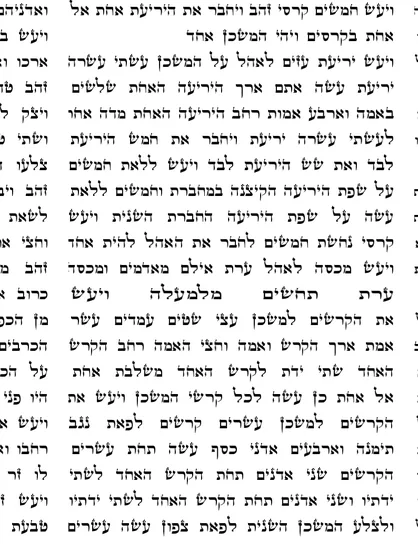
1The text
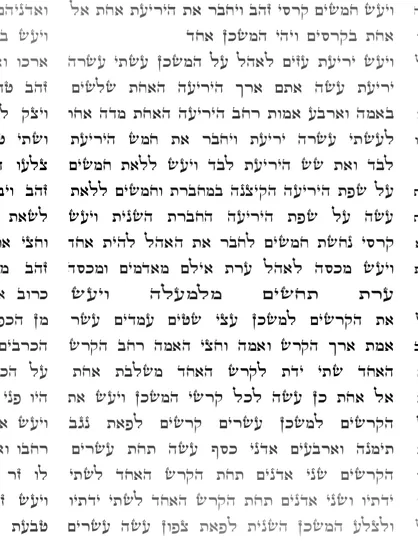
2The ink
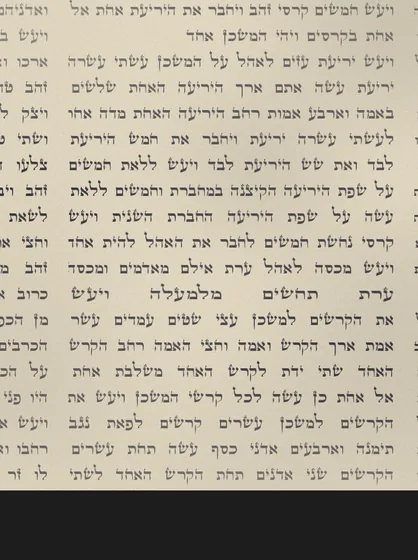
3The parchment
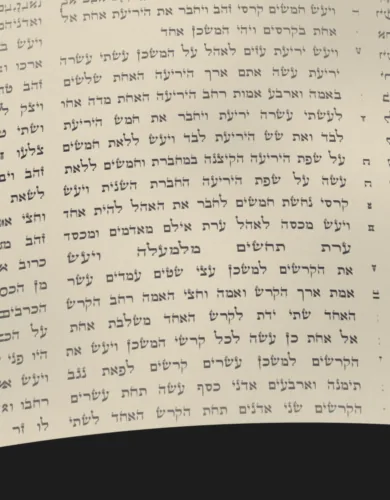
4The camera
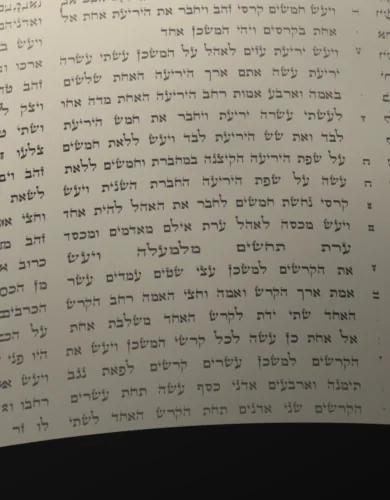
5The light
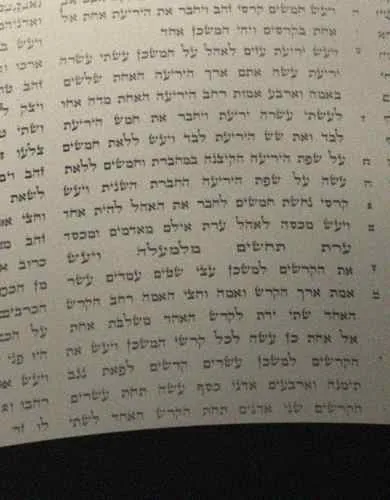
6The final photo
- The text: the column's lines, justified as in a sefer, with parts of the neighboring columns at the sides.
- The ink: thicker or thinner strokes, faded patches and small cracks in the letters.
- The parchment: one of seven background colors, with texture and stains, and one of five ink colors. Sometimes a dark band is added at the top or bottom, like the edge of the scroll or the table.
- The camera: perspective, a small turn and the curve of the parchment. The photo is also shrunk, so that lines end up 14 to 48 pixels apart.
- The light: one side darker than the other, sometimes the shadow of a hand or the phone, and sometimes glare.
- The final photo: blur, sometimes motion, noise and JPEG compression.
Each step picks its values at random, so no two photos are alike. In 30% of them, the words of each line are also replaced with Torah words picked at random. That way the network can't guess a word from the ones before it and has to read each letter.
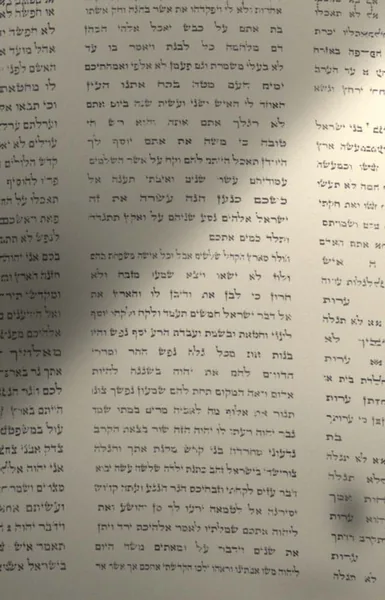
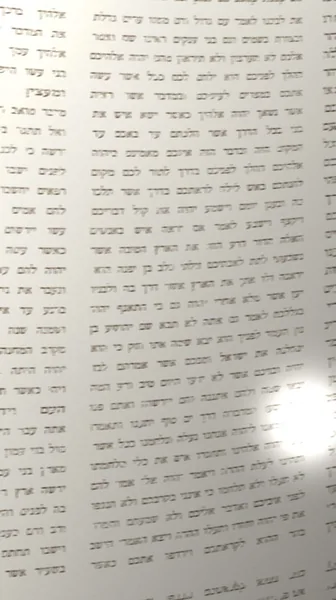
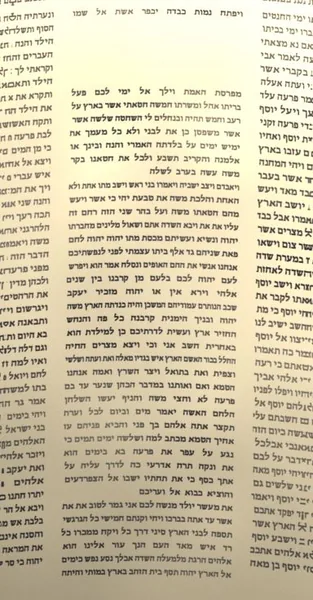
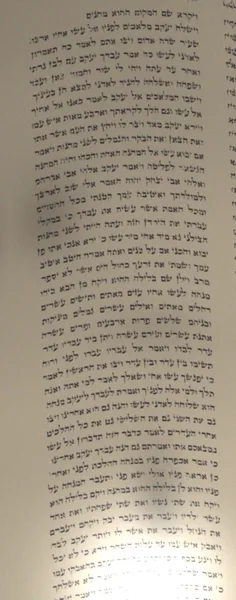
The fonts
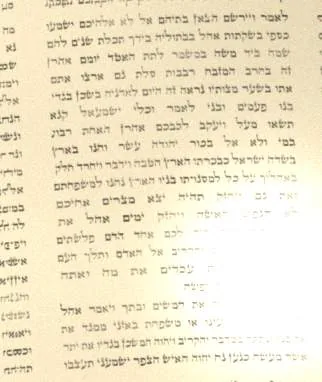
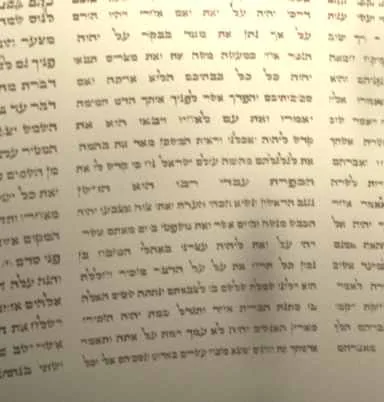
The fonts come from Culmus, a project of free Hebrew fonts. The two STA"M ones, Stam Ashkenaz and Stam Sefarad, appear in almost two out of three photos. The rest are book fonts, so the network sees other shapes of the same letters.
Stam Ashkenaz
37% of the photos
Stam Sefarad
26% of the photos
Keter YG
11% of the photos
Frank Ruehl
7% of the photos
Drugulin
4% of the photos
Hadasim
4% of the photos
Shofar
4% of the photos
David
3% of the photos
Simple
1% of the photos
Miriam
1% of the photos
Nachlieli
1% of the photos
Yehuda
1% of the photos
From the photo to the line
The network reads one line at a time. To cut the lines out of each photo we use the same code the app runs (steps 2 to 5 of the post on how it works). Since the script knows what text it wrote on each line and where that line ended up after the photo was warped, it labels each crop with its text. If a crop doesn't match a line cleanly, it's dropped, so the network doesn't learn from a wrong label.
ויעש יריעת עזים לאהל על המשכן עשתי עשרה
ערת תחשים מלמעלה ויעש
אל אחת כן עשה לכל קרשי המשכן ויעש את
זה בחרב המזבח רבבות סלת גם ארצו אתםshuffled words
The training
We made 4,000 photos for training and 300 to keep measuring how it was learning. The network is small (about 450,000 parameters) and was trained on a computer's processor, without a graphics card. The version the app uses went 5 times through all the training lines.
Training uses the CTC loss. That is, the network only needs the text of each line, without knowing where in the strip each letter is.
How we measured whether it learned
To measure it we used three kinds of photos, none of them used for training:
- New synthetic photos: 200, made like the training ones but kept apart, all with real text.
- Scanned sifrei: four complete sifrei, published under free licenses.
- Photos taken with a phone: 10 frames from two tests we recorded, on a worn sefer and on a printed tikkun.
On the synthetic photos, the app placed 95.5% with confidence and never gave a wrong place. The network got 14.9% of the letters wrong.
The real sifrei
Synthetic photos aren't enough to know how the network does with a real sefer. So we tested it on complete scans of four sifrei:
- Elihu Shannon's sefer: Elihu Shannon is a sofer from Kibbutz Sa'ad, in Israel. In 2011 he sent photos of every column of his second sefer Torah to be published on Wikimedia Commons, with permission to use them freely. That sefer follows the standard layout of 245 columns of 42 lines, so for each photo we know exactly which column it is. So it's a test that comes with the answers.
- David Kokhav's sefer: commissioned by Rabbi David Kokhav. It's written on gevil and follows the custom of Yemenite sifrei, in 226 columns.
- A German sefer from around 1920: restored by Makhon Ot, with 190 columns that don't follow today's layout.
- British Library manuscript Or. 1462: a 15th-century sefer, written in Oriental script by a sofer whose name isn't known. The photos show whole sheets, with five to seven columns each, so we cut them into single columns.
For the last three we don't know in advance which column each photo is, but we do know the columns come in order. So the test is that every column the app places with confidence lands after the previous one.
Elihu Shannon's sefer
Kibbutz Sa'ad, Israel, 2011. Standard layout.
Genesis 1:1 · Bereshit · column 1
Photo: Elihu Shannon, Wikimedia Commons, CC BY-SA 3.0.
David Kokhav's sefer
Yemenite custom, 226 columns.
Genesis 1:1 · Bereshit
Photo: Rabbi David Kokhav, Wikimedia Commons, CC BY-SA 3.0.
A German sefer
Around 1920, restored by Makhon Ot. 190 columns.
Genesis 14:20 · Lech-Lecha
Photo: Internet Archive, CC0.
The British Library sefer shows the order test well. Below is a whole sheet and its seven columns, cut out one by one. The app placed all seven with confidence, one after the other, from Terumah to Ki Tisa.
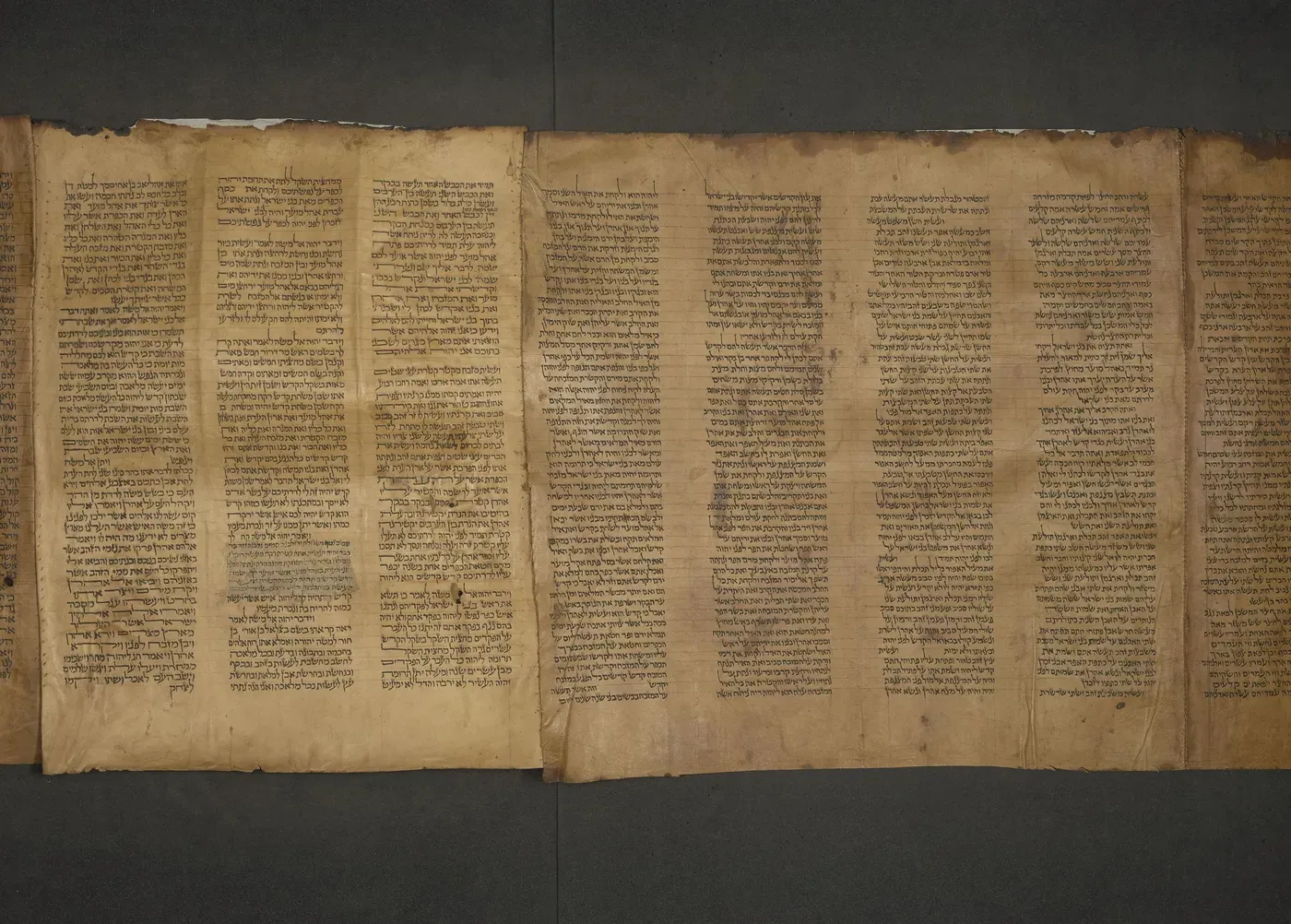
Photo: British Library, MS Or. 1462, on Internet Archive. Public domain.
Terumah
27:13
Tetzaveh
28:15
Tetzaveh
28:38
Tetzaveh
29:19
Tetzaveh
29:38
Ki Tisa
30:15
Ki Tisa
31:6
The results
| Sefer | Photos | Placed with confidence | Wrong or out of order | No answer |
|---|---|---|---|---|
| Elihu Shannon | 246 | 241 | 0 | 5 |
| David Kokhav | 226 | 225 | 0 | 1 |
| Makhon Ot, Germany | 190 | 189 | 0 | 1 |
| British Library, 15th century | 233 | 187 | 0 | 46 |
In Shannon's sefer, 240 of the 241 also gave the exact column number. The ones left without an answer are the two songs written as brickwork (Shirat HaYam and Haazinu), which the line finder doesn't follow, and the nesiim of Bamidbar 7, where two columns look too much alike.
In the British Library one, 21 columns land before the previous one, but all of them are the first column of a new photo. Of those, 16 fall on a column that was already there, because a photo repeats the end of the one before, and 5 fill gaps that had been left. None contradicts its neighbors.
The photos taken with a phone
Last, we tested 10 frames from two tests recorded with a phone, on a worn sefer and on a printed tikkun. They are low-resolution screen recordings, with lines about 17 to 23 pixels high. The app placed all 10 without a single mistake, even though the network got about 30% of the letters wrong (counting every ? as an error).
What can improve the network most is real photos. That's why, when a scan doesn't go well, the app offers to send the photo to add it to the training. It's only sent if the person ticks the box.
The code
The synthetic photos in this post come from the same code that made the training set (tools/train), and the drawings over the real sifrei come from running the app on each photo (tools/eval). The full results are in the evaluation.